Table of Contents
Short-form teams collect inspiration all the time. A creator saves a TikTok effect. A marketer drops a YouTube Short into a Slack thread. A founder sees a product teaser that feels close to the right mood. The hard part is not finding examples. The hard part is turning those examples into small tests before anyone spends a full afternoon editing.
That is where AI video can be useful. A trend does not need to become a finished campaign on the first try. It can become a fast moving sketch: one image, one motion idea, one model pass, and a quick decision about whether the concept is worth developing.
Start With the Pattern Behind the Trend
Good trend research is more specific than “make something viral.” Before generating anything, name the pattern you are trying to borrow. Is the clip built around a slow camera push? A product reveal? A before-and-after change? A character turning toward the camera? A quick transformation timed to a sound?
Once the pattern is clear, the creative brief gets easier. Instead of asking an AI model to create a vague cinematic video, you can ask for one or two concrete movements. For a product shot, that might be a slow turn, a clean lighting shift, or a hand entering the frame. For a portrait, it might be hair moving slightly, fabric catching light, or the camera moving closer while the expression stays calm.
The point is to make the first test narrow. A narrow test is easier to judge because the team knows what should happen and what should stay unchanged.
Decide What Must Stay Stable
AI video tests work best when the still image already has a clear job. It might be a product photo, a campaign still, a portrait, a generated concept image, or a frame from a storyboard. Before adding motion, decide what the video must preserve.
For a brand asset, the logo and product shape may be non-negotiable. For a creator portrait, the face, wardrobe, pose, and background may need to stay recognizable. For a concept image, the mood and camera angle may matter more than small details.
This small checklist protects the test from becoming a random remix. If the movement is interesting but the subject no longer looks like the original idea, the clip may be fun to watch but weak as a production direction.
Use AI Video Tests as Creative Sketches
The most useful first pass is often a short clip, not a polished final. A five-to-ten-second test can show whether the movement fits the image, whether the subject holds together, and whether the idea has enough energy for a real edit.
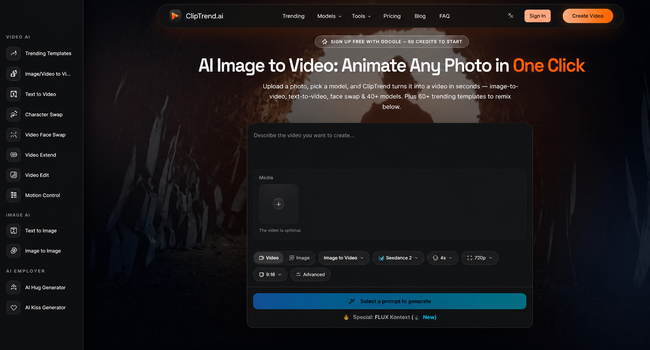
A workspace such as ClipTrend.ai fits this stage because it is organized around trend-led AI video creation rather than a blank editing timeline. Teams can start from a visual idea, browse effect directions, and generate options without rebuilding the whole workflow from scratch.
For image-led ideas, an AI Image to Video is especially useful. It lets the still image stay at the center while the prompt describes the motion. That keeps the test grounded. The image provides the composition and subject; the prompt supplies the movement.
Compare Models Like an Editor
Different AI video models handle the same idea differently. One model may preserve a product shape better. Another may create smoother camera motion. A third may be stronger for stylized visual effects. This is why the first test should include comparison, not only prompt revision.
Review each output with editorial questions:
- Does the viewer understand the clip without reading the prompt?
- Does the subject remain recognizable?
- Does the first second create a reason to keep watching?
- Does the motion support the idea, or does it distract from it?
- Would this clip fit the channel where it will be posted?
These questions keep the team from choosing the flashiest result by default. A quieter take may be better if it preserves the product, matches the brand, or gives the editor a cleaner base.
Keep the Test Close to the Real Channel
A vertical social post, a landing-page hero, and a paid ad need different framing. A clip that looks strong in a square preview may lose its subject when cropped for Reels or Shorts. A wide hero video may need slower movement so the page does not feel distracting.
Before making too many versions, choose the likely channel. If the test is for TikTok or Reels, frame the subject for vertical viewing and keep the action readable on a phone. If it is for a website, avoid motion that fights the page copy. If it is for an ad, check whether the first seconds make the benefit obvious before the viewer scrolls away.
This does not mean the first output has to be perfect. It means the test should answer the real publishing question, not a generic video question.
Move the Winner Into a Normal Editing Workflow
AI video is strongest when it shortens the distance between idea and decision. Once a clip works, the rest of the workflow can be familiar: trim the best section, add captions, place the logo carefully, match music or voiceover, and export the correct format.
For teams that test ideas regularly, the ClipTrend pricing page is useful to review before batching many generations, because video testing is easier when credits, model access, and expected usage are clear.
The bigger shift is mental. Trend research does not need to sit in a folder until someone has time for a full edit. A saved example can become a focused AI video test the same day. If the test fails, the team learns quickly. If it works, the editor gets a stronger starting point.
The best use of AI video is not to chase every trend. It is to test the few trends that actually fit the brand, the asset, and the audience, then turn the strongest one into a finished piece with human judgment.
Read more on KulFiy