Table of Contents
Wardrobe planning usually starts with too many open questions. Does the blazer make the photo feel more premium? Would a softer dress work better than a structured suit? Should the model wear sneakers, heels, boots, or simple flats? For creators, stylists, and ecommerce teams, these decisions often happen before the real shoot, when buying samples or pulling looks is still expensive and slow.
AI clothing previews give teams a lighter way to test direction. Instead of building every outfit physically, a team can start with one clear photo, describe a scene or outfit, and compare several wardrobe ideas before committing to a production plan.
Treat the First Prompt Like a Styling Brief
A useful outfit prompt is not just a list of clothes. It should describe the purpose of the image. A “summer rooftop party look” creates a different result from “minimal studio look for a clean skincare campaign.” A “job interview outfit” should not be styled the same way as a “festival streetwear outfit.”
Before using AI, write a short brief in normal language:
- Who is the image for?
- Where will it appear?
- What mood should the outfit create?
- What should stay unchanged in the original photo?
This keeps the output focused. If the goal is an ecommerce concept, the clothing should be clear and believable. If the goal is creator content, the outfit may need more personality. If the goal is a client mood board, the preview should be specific enough to guide a real sample pull.
Start With a Photo That Can Carry the Outfit
The source image matters more than most people expect. A strong wardrobe preview needs a visible body shape, readable pose, and enough space around the clothing area. If arms cover the torso, the photo is heavily cropped, or the lighting is too harsh, the outfit may be harder to judge.
Choose a person photo where the current pose already fits the planned mood. A formal look works better when the posture is clean. A relaxed streetwear idea works better with a natural stance. A movement-heavy photo may be great for campaign energy, but harder for checking garment details.
The first question is simple: if the outfit changed, would this still be a good photo? If the answer is no, fix the source image before testing clothes.
Use Text When You Do Not Have Garment References Yet
Garment references are helpful when the team already knows the exact shirt, dress, jacket, or shoes it wants to test. But early planning often starts before samples are selected. In that stage, text prompts are useful because they let the team explore direction first.
A prompt can describe the occasion, color palette, silhouette, fabric mood, and setting. For example, a stylist could test “a cream linen set for a warm outdoor brunch” against “a sharp black blazer with tailored trousers for a founder portrait.” An ecommerce team could compare a soft neutral campaign look with a brighter seasonal variation before ordering samples.
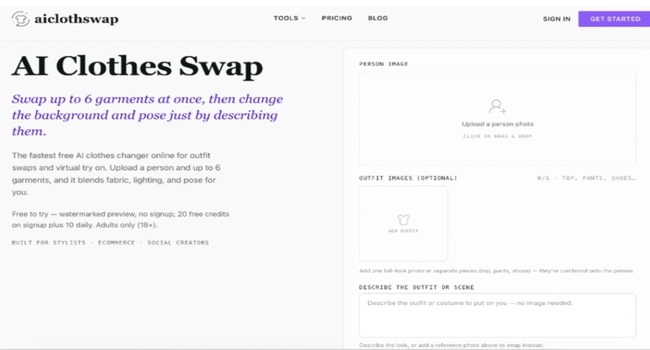
A tool such as AIClothSwap is built for this kind of clothing-specific preview. It can work from a person photo and either garment references or a written outfit direction, which makes it useful before the team has a final rack of clothes.
Compare the Output Like a Production Decision
The first preview should not be judged only by whether it looks impressive. It should answer the production question. Does this outfit direction fit the brand? Does it make the product or person easier to understand? Does it work with the background and lighting? Would the team be comfortable turning this direction into a real shoot?
Look closely at the practical details:
- Do sleeves, collars, waistlines, and hems follow the pose?
- Does the fabric look connected to the lighting?
- Are hands, hair, bags, and accessories handled cleanly?
- Does the outfit support the original expression and posture?
- Is the result honest enough for the intended use?
For commercial content, the bar should be higher. AI previews are excellent for planning, but final product images should not misrepresent fabric, fit, or exact garment construction.
Move From Prompt Tests to Garment Tests
Once a text-described outfit direction looks promising, the next step is to make it more concrete. Replace broad prompts with garment references, brand samples, or closer styling notes. If “cream linen set” works, test two actual linen sets. If “black blazer” works, compare lapel shape, trouser cut, shoes, and accessories.
This is where AI Clothes Swap can become a practical planning layer. The team can move from mood to outfit, then from outfit to specific garments, without needing every option physically on set from the beginning.
For creators, this means fewer rushed purchases. For stylists, it means clearer client conversations. For ecommerce teams, it means better campaign planning before production money is spent.
Keep a Small Wardrobe Decision Log
When testing several looks, save the best images with short notes. Write down what worked and what did not: “good color, too formal,” “great jacket shape, weak shoes,” “background needs to stay cleaner,” or “works for portrait, not product page.” These notes are more useful than a folder full of unlabeled generations.
If the team plans to generate many options, the AIClothSwap pricing page is worth checking before a larger batch. Wardrobe testing can move quickly once the process works, and it helps to know how credits, quality, and downloads fit the project.
AI does not replace taste, styling judgment, or real product review. It gives the team a faster way to see direction. One clear photo and a well-written prompt can turn a vague wardrobe conversation into visual options that are easier to compare, reject, refine, or bring into the real shoot.
Read more on KulFiy