Table of Contents
A profile photo can feel outdated long before a person wants to book a full photoshoot. The lighting may still be good. The pose may still work. The face may look natural. But the haircut, color, or overall style no longer matches how the person wants to show up online.
That is a common problem for creators, consultants, job seekers, founders, stylists, and anyone updating a portfolio, social profile, or professional headshot. A new haircut can change the whole read of a portrait, but guessing from reference photos is risky. AI hair previews can help by turning the question into something visual before the real photo, haircut, or color appointment happens.
Start With the Profile You Already Like
The best source image is not always the newest one. It is the photo where the face, expression, and posture already work. If the goal is to test hair, start with a portrait that has good eye contact, balanced lighting, and a clear view of the current hairline.
Avoid heavy filters, sunglasses, hats, strong shadows, and cropped hair. A profile image may be casual, but the AI still needs enough information to understand the head shape and hairstyle area. Front-facing and slight three-quarter portraits usually work better than extreme side angles.
Before testing, decide what should stay the same. For most profile refreshes, the face, skin tone, expression, clothing, background, and camera angle should remain stable. The point is to compare hair decisions, not to accidentally create a different person.
Test Haircut Shape Before Color
Hair color is tempting to test first because the change is obvious. But for profile photos, shape usually matters more. Length, bangs, volume, texture, and parting can change how the face reads at small thumbnail size.
Try a few haircut families before deciding on color. A bob may make the image feel more polished. Longer layers may feel softer. Curtain bangs can frame the face without changing the entire look. A cropped cut, fade, or buzz cut can make the portrait feel cleaner and more direct.
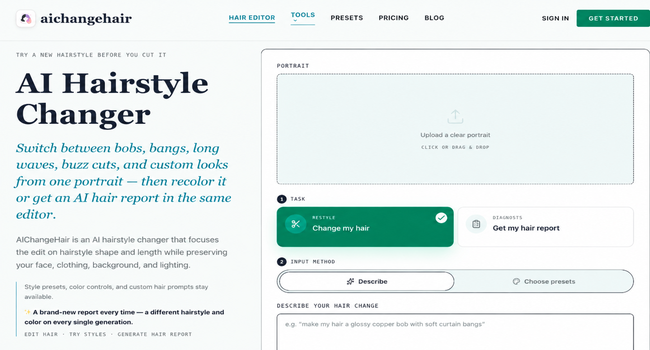
A focused AI Hairstyle Changer is useful here because it is designed to edit the hair while preserving the rest of the portrait. That stability makes comparison easier. If every output changes the lighting, outfit, or facial features, the haircut decision becomes harder to trust.
Judge the Result at Real Profile Size
A hairstyle preview can look good full-screen and still fail as a profile photo. Most people will see the image as a small circle or square on LinkedIn, X, Instagram, YouTube, a company bio page, or a booking profile. That means the haircut should still read clearly when the image is small.
After generating a few options, zoom out. Which style frames the face best? Which one keeps the eyes clear? Which one supports the tone of the profile: approachable, sharp, creative, elegant, casual, or more professional?
Do not choose only the most dramatic change. A profile photo has a job. It should help someone recognize you and understand your public role quickly. Sometimes the strongest option is a modest trim, cleaner shape, or softer color direction.
Add Color After the Shape Works
Once two or three haircut shapes feel promising, test color on those same options. This makes the comparison fair. A warm brunette, copper, blonde, black, silver, or pastel shade can shift the mood of the same haircut, but it should not hide whether the shape actually suits the portrait.
If color is the main question, an AI Hair Color Changer can help test realistic tones before dye, toner, or bleach enters the decision. Look for color that respects the original lighting and skin tone. If the hair becomes too flat, too shiny, or disconnected from the portrait, treat it as inspiration rather than a final reference.
For professional profiles, subtlety often works better than novelty. A cleaner brunette, softer black, warmer copper, or natural-looking blonde may update the image without making the profile feel like a costume.
Use the Preview as a Direction, Not a Promise
AI hair previews are most useful when they make choices easier to discuss. A preview cannot know hair density, curl shrinkage, cowlicks, past color history, or how much daily styling a person will tolerate. A stylist still matters. A photographer still matters. Human taste still matters.
What the preview can do is narrow the field. Instead of saying “I need a new profile photo,” a person can compare three visual directions: cleaner short cut, softer layered look, or warmer color with the same current length. That makes the next decision more concrete.
For salons, stylists, creators, and teams producing many portrait variations, the AIChangeHair pricing page can help plan how many high-resolution tests or reports make sense for the workflow.
Keep the Final Profile Honest
A profile refresh should still look like the person. If the preview changes facial features, reshapes the head, or makes the hair look pasted on, discard it. The best result should feel like a plausible version of the original portrait, not a fantasy identity swap.
Use the strongest AI previews as notes. Bring them to a stylist, use them to plan a shoot, or compare them before updating a public profile. The goal is not to let AI choose a haircut for you. The goal is to see enough realistic options that the next haircut, color, or profile photo feels less like a guess.
Read more on KulFiy