Table of Contents
Working remotely from a different location or country might sound like an exciting idea until time zones come into play. A morning meeting for your office might happen late at night for you, while an important message arrives before sunrise. When time zones are introduced in a workflow, even the simplest of tasks become harder to handle.
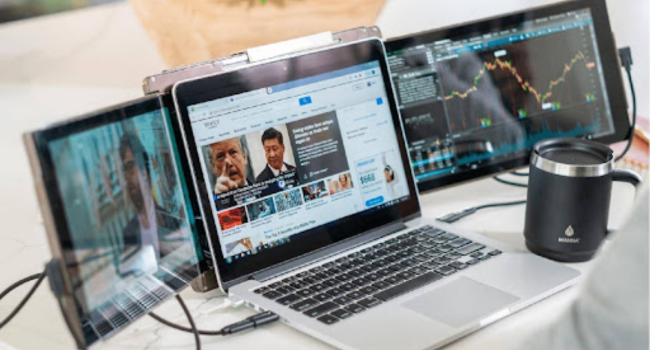
Many remote workers rely on a simple travel setup to stay on track. A Mobile Pixels Trio laptop screen extender can be part of that setup, alongside noise-canceling headphones, a VPN, and a few habits that make working across time zones less stressful.
Why Time Zone Changes Can Throw Off Your Day
A change in time zone often means a change in routine. Someone who normally starts work at 9 a.m. may suddenly find meetings scheduled during dinner or early in the morning.
Communication can also slow down and cause frustration. You might send a question to a coworker, and then you get nothing for a couple of hours because their workday has already wrapped up. This causes the projects to start to feel like they are moving at a slower pace, even if you’re doing your part.
For this reason, many remote workers focus on creating routines that work no matter where they are. A familiar process can make each day feel more manageable, even when the local time keeps changing.
A Portable Workspace Makes Life Easier
Remote work rarely happens in perfect conditions. One day you may be working from a hotel room. The next day, it could be a busy airport lounge or a crowded café.
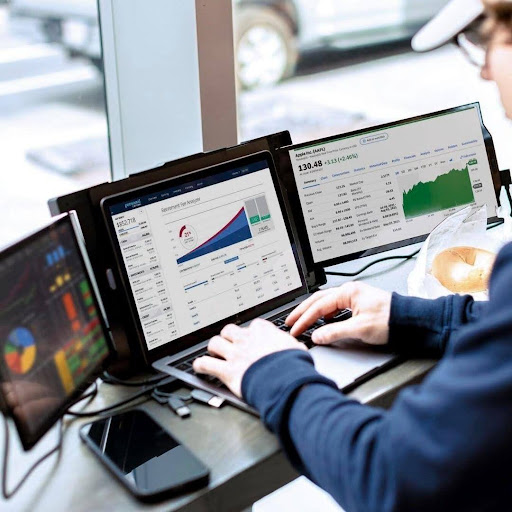
Extra screen space can help in these situations. A laptop screen extender gives you room to keep a meeting open while reviewing notes or working on another task. Instead of jumping between tabs, important information stays visible.
Noise-canceling headphones are another helpful item to keep nearby. Background conversations, airport announcements, and street noise can easily break concentration. Good headphones create a quieter space, even when the environment is busy.
A VPN is also worth carrying in your productivity toolkit. Many travelers connect to public Wi-Fi networks during the day. A VPN adds extra protection when accessing work accounts or company files away from home.
Why Async Communication Works So Well
When team members are spread across different time zones, not every conversation needs a live meeting.
Many remote teams rely on written updates, shared documents, and recorded messages. This allows people to review information when their schedule allows instead of rearranging their day for every discussion.
It also helps to let coworkers know when you are available. A simple status update or shared calendar can prevent confusion and reduce the number of unnecessary follow-ups. Keeping notes in one place is useful as well. When decisions are documented, people can catch up later without asking someone to repeat the conversation.
Small Habits That Help You Stay Focused
A few simple habits can make remote work feel much smoother while traveling.
Before ending the day, write down the tasks that need attention tomorrow. This makes it easier to get started when work begins again, especially after a long flight or a busy travel day. Try to schedule important work during the hours when you feel most alert. Meetings can fit around those blocks of focused time.
Many travelers also prefer using the same tools wherever they work. A laptop screen extender creates a familiar setup whether you are in a hotel, coworking space, or apartment rental. For many remote professionals, a laptop screen extender becomes a regular part of their travel bag.
Staying Productive Anywhere Is About Preparation
Working across time zones can be challenging, but the right habits and tools can help you make a difference. A portable workspace, clear communication, and a couple of trusty tools help remote workers stay organized no matter where they travel. With a bit of pre-planning, you can keep things in motion, no matter what the clock says.