
Table of Contents
A two-person music video can become surprisingly difficult to coordinate, even for a fifteen-second clip. One person chooses the photos, another suggests the joke, and someone else checks the finished video. Feedback gets scattered, and revisions may use outdated ideas. A short, shared production brief makes these small projects easier to manage without complicated software.
The useful starting point is a Markdown document that everyone can read and update. It can capture the intended audience, available source images, proposed scene, approval status, and publication checklist in one place. For an experiment built around two people’s photos, Rap Duo AI can supply a generated rap performance to evaluate within that workflow. The document establishes what to create, who approves it, and when it is ready.
Start With a Brief That Answers Five Questions
Before anyone opens a video editor, write down the video’s purpose. Is it a birthday greeting, an inside joke for a private chat, or a short promotional experiment? A birthday clip may need a recognisable name and gentle humour, while a public promotional post needs an immediately understandable message. Otherwise, collaborators may disagree about whether the video serves its audience.
A workable Markdown brief need not be long. Begin with a title and five fields: intended viewer, central idea, featured people, target platform, and deadline. Add a one-sentence success test such as, “The birthday person can recognise both faces, understand the joke on the first viewing, and feel comfortable with it being shared.” This turns subjective feedback into something a teammate can check.
Record decisions separately from suggestions. For example, “Approved: a playful birthday roast” is an instruction; “Maybe use a city backdrop” remains an open proposal. Labelling them prevents a speculative comment from being treated as the latest decision. Assign one person to settle open choices.
Prepare Source Photos and Record Permissions
The quality of a photo-based video often depends on its inputs. Choose images where faces are sharp, well lit, front-facing, and unobstructed. If two people are featured, separate portraits with comparable framing can be easier to evaluate than a crowded group shot. Keep original files in a controlled folder and use descriptive filenames rather than labels such as final2-new.jpg.
Include a small asset register in the note. For each image, identify its owner, the person depicted, its approved use, and its file location. Receiving a photo does not confer permission to animate or publish it. Ask people clearly whether the planned video can be generated and where it may appear, particularly when the result could seem like a real performance.
A practical review also considers tone. A playful exchange between friends may be welcome in a private group, but the same joke may become embarrassing when posted publicly. If a person has not approved the use of their appearance or the proposed topic, hold the project instead of trying to fix that concern during editing.
Turn the Brief Into a Repeatable Video Test
Begin with one short version rather than producing multiple scenes at once. Select photos that meet the asset checklist, then choose a theme consistent with the brief. A useful prompt includes the occasion, the people involved, and one memorable detail, without becoming a long script full of competing instructions. Keep a copy of the exact wording in the shared document so the team can understand what changed between attempts.
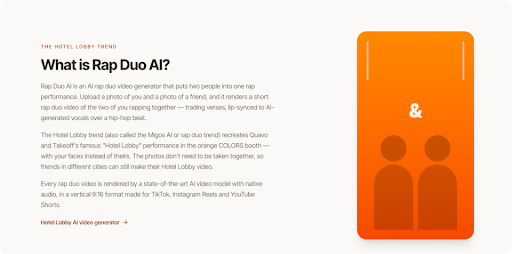
For a two-person rap concept, the AI Rap Video Generator accepts either one clear photo of each participant or one photo containing both people. Choose a stage, set the available video format and length, and enter a short topic to guide the generated lyrics. After rendering, watch the result before downloading it. Check both faces, the words’ suitability, the overall tone, and whether the clip matches the agreed brief; if something is off, revise the topic or source images and test again.
Log each attempt with an ID, date, input filenames, topic text, selected scene, and reviewer notes. A compact record such as “V02: faces readable; opening joke unclear; revise topic” is more useful than “Try again.” It also prevents reviewers from debating different exports while assuming they are watching the same one. Restrict links to private output files.

Review the Result Against Specific Criteria
A review checklist works best when it separates technical defects from creative preferences. Technical checks include whether the correct people appear, whether faces remain identifiable, whether audio is understandable, and whether the aspect ratio suits the destination. Creative checks include whether the opening makes sense without explanation, whether the joke lands respectfully, and whether the video delivers the intended message before viewers scroll away.
Ask reviewers to report an observation and a recommended change together. “At eight seconds, the second person’s face is difficult to recognise; try a clearer portrait” gives the editor an action. “It feels weird” does not. When feedback conflicts, return to the success test from the original brief instead of deciding by whoever comments last.
Do not assume every problem can be corrected by another automated generation. If a particular face continues to look inaccurate, or an exact spoken message is legally or emotionally important, consider a conventional recording with the participants’ involvement. Generation cannot replace consent or precise creative control.
Publish With a Clear Handoff Record
Once a version passes review, record which file was approved, who approved it, and the intended destination. The final checklist should cover spelling in captions, platform dimensions, any required disclosure that a scene was AI-generated, and confirmation that participants accepted the planned audience. A private joke should not become a public post just because a file is ready to upload.
The same Markdown note can become a reusable template for the next project. Retain the brief, asset permissions, version log, and final decision; remove private material that no longer needs to be stored. This creates a lightweight history of why a clip was published or rejected, which is especially helpful when several collaborators contribute at different times.
A short video benefits from the same discipline as a larger production: clear intent, documented inputs, focused testing, and explicit approval. When those decisions are easy to find, creators can spend less time untangling messages and more time evaluating the actual work. The strongest final check is simple: can another teammate open the note, identify the approved version, and explain why it is ready for its intended audience?