Table of Contents
Anyone who has tried to memorize vocabulary with plain text knows how fast it fades. Kimg AI helps you fix that by turning bare words into vivid pictures, and one of the tools behind that transformation is Nano Banana AI, an image model built into the Kimg AI site for exactly this kind of visual learning work.
I. See Real Flashcard Results Before You Commit
You don’t need to imagine what this looks like. A short prompt turns a plain word into a scene you’ll actually remember, and seeing a few examples first makes the whole idea click faster than any explanation could.
1. From “apple” to a scene Instead of a stock photo, you get a red apple sitting on a wooden table with morning light coming through a window, something your brain files under “memorable,” not “generic.”
2. From “run” to motion A single verb becomes a person mid-stride on a park path, capturing the action instead of just naming it, which helps learners connect movement words to real motion rather than static definitions.
3. From abstract to concrete Words like “freedom” or “nostalgia” are hard to picture. AI generation gives them a visual anchor, like an open window with curtains blowing in the wind for “freedom,” turning a fuzzy concept into something you can actually see and hold onto.
II. Why A Picture Beats A Definition Every Time
Flashcard apps have used plain text for years mostly because custom art was expensive and slow to produce. That excuse doesn’t hold up anymore, and the difference in recall shows up almost immediately once you start testing it yourself.
1. Dual coding sticks better Pairing a word with an image gives your brain two ways to retrieve it later, not just one string of letters, so even if you forget the exact spelling, the picture often brings the meaning back.
2. Emotion drives recall A funny or striking image tends to stay with you longer than a dry definition, especially for words you keep forgetting no matter how many times you review the list.
3. Custom beats generic Stock photos rarely match your specific word or context. Generating your own image with Nano Banana through Kimg AI means the picture actually fits the word, the tone, and even your personal study theme, instead of a loose approximation pulled from a random photo library.
III. Turning A Whole Vocabulary List Into A Deck
Building flashcards one at a time gets tedious fast, especially if you’re prepping a full unit or a semester’s worth of words, so having a repeatable process matters more than any single image.
1. Batch your list by theme Group words by category, like food, emotions, or travel, so the visual style stays consistent across each set and learners can spot patterns faster.
2. Keep prompts short and specific A clear, simple prompt describing the word in a real scene works better than a long, vague description that leaves too much room for the model to guess wrong.
3. Save variations for tricky words For words that are easy to confuse, generate two or three versions and pick the one that separates them most clearly in your mind, since a slightly different angle or setting can make all the difference.
IV. Keep The Same Character Across Your Whole Deck
If you’re building a story-based course or a themed deck, jumping between different faces and styles every card breaks the flow for learners and makes the material feel disjointed.
1. Pick one character early Decide on a simple character, like a student or a traveler, and use them across every flashcard scene so learners build familiarity with a consistent visual thread.
2. Feed reference images consistently Uploading the same reference photos each time helps keep the character’s look steady from card to card, which matters a lot when you’re producing dozens of images in one sitting.
3. Build a mini story arc Sequencing cards so the character moves through related scenes, ordering coffee, catching a train, greeting a friend, turns a vocabulary list into something closer to a comic strip than a spreadsheet of words.
V. Getting Started Without Spending A Cent
Testing a new tool shouldn’t require a credit card upfront, and this one doesn’t, which makes it easy to try before deciding whether it fits your workflow.
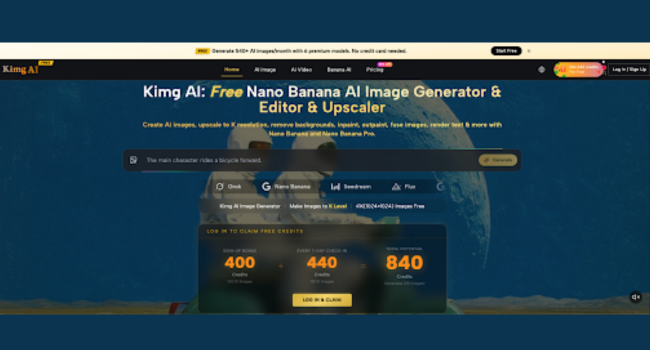
1. Sign-up bonus New accounts get a Sign-up Bonus of 400 Credits right away, enough to start building a real flashcard set immediately without any hesitation.
2. Daily check-in rewards Checking in for 7 straight days adds another 440 Credits, which combined with the sign-up bonus lets you generate well over two hundred images using premium models before spending anything at all.
3. Resolution options Images come out at 1K resolution for free, while 2K and 4K outputs are reserved for members who need sharper detail for printed materials or larger classroom displays.
VI. Picking The Right Model For Each Flashcard
Kimg AI doesn’t lock you into a single engine, which matters because different words call for different visual styles depending on complexity and tone.
1. Nano Banana for everyday scenes Great for realistic, straightforward images of common nouns and verbs, the kind that make up most beginner vocabulary lists and don’t need much extra detail.
2. Nano Banana Pro for detailed work When a flashcard needs finer detail, like intricate objects or layered scenes, this model handles the extra complexity well and keeps the result looking polished.
3. Other models for variety The site also gives you access to Seedream, Flux, GPT Image 2, and Grok Imagine, so you can compare styles side by side and pick whichever one fits your teaching material best without switching platforms.
VII. Making Flashcards Part Of A Daily Habit
A good visual deck only helps if you actually use it regularly, so it’s worth thinking about how these images fit into your normal study rhythm rather than treating them as a one-time project.
1. Refresh old decks periodically Words you learned months ago can get a new image style every so often, which keeps review sessions from feeling stale and re-engages memory in a fresh way.
2. Mix formats for different sessions Some days call for quick single-word cards, other days for scene-based story cards, and switching between the two keeps study sessions from becoming repetitive.
3. Share decks with study partners Because the images are generated and saved, they’re easy to export and pass along to classmates or students, turning a personal study tool into something a whole group can use together.
Turn Your Next Study Session Into One You’ll Actually Remember
Language learning doesn’t need to feel like memorizing a phone book. Pair each word with an image that means something, build a deck your eyes actually want to look at, and watch how much faster it sticks. Open Nano Banana, claim your free credits, and start building the kind of flashcards you’ll wish you’d had years ago.