Table of Contents
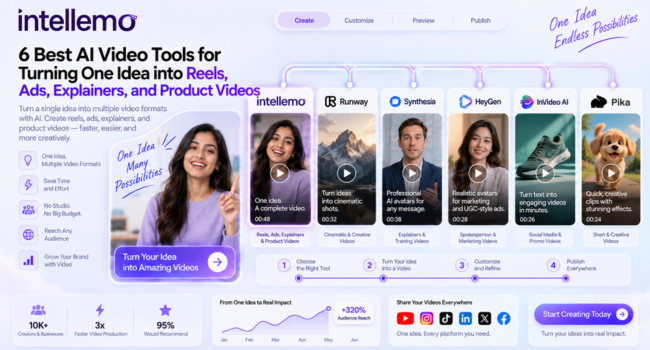
If you have one idea and want it to become a finished video, the right AI video tool can handle most of the difficult and technical work for you. The best AI video tools for turning one idea into reels, ads, explainers, and product videos take a simple prompt or concept and build it into something you can actually publish. Some focus on realistic avatars. Others are made for cinematic shots or fast social clips. A few now manage the full journey from script to final render inside one place. This guide walks through six AI video tools worth knowing in 2026. Each entry covers what the tool does well and who it suits best, so you can match it to the kind of content you actually make.
1. Intellemo AI
Intellemo AI is designed to transform an idea into a comprehensive video, not just a single shot. One idea can be a quick reel on a social platform or a well-crafted ad for a campaign. It can be an expanded prompt into a complete explainer or a complete product video, as the platform builds the prompt into a true flow from the script to the final product. You can also start with a website URL, which Intellemo analyzes to understand the business, available brand information, and assets such as the logo to shape the script and video. It makes it feel more like having a guided AI video studio than a generic prompt box, as you actually explore a real path rather than picking apart one random output.
- It works well from concept to product with a script step and storyboard that you can preview before generating the output clips. The guided workflow also includes a Audioboard stage, where audio can be reviewed for pronunciation, pacing, tone, timing, and overall voice quality before approval.
- The system checks for quality at each step so that any weak parts of the video can be enhanced ahead of time before the final product is produced. Individual storyboard scenes can also be revised without regenerating the entire video, allowing changes to elements such as character appearance, background, camera angle, lighting, or product placement while helping preserve consistency elsewhere.
- @ mentions can be used to maintain the same characters and brand assets throughout the scenes, and the speaking characters receive lip sync with scene-matched background sound to create the finished look. AI-generated music can also be added within the same video creation workflow.
Pricing is simple and flexible: users can choose a plan based on their video creation needs, from narration to lip-sync and 4K output.They can start creating and review the Script, Audio Board, and Storyboard before spending their video seconds.
Video seconds are charged only when video clips are generated, so users can review and make revisions before committing their seconds.This gives users more control over their usage and reduces the risk of spending seconds on unwanted generations.
Best for: creators and brands that want one idea or an existing website to become anything from a quick reel to a full product explainer, all inside a single workflow.
2. Runway
One name that stands out in the field of AI video is Runway, recognized for its creative and cinematic work. Creates video based on text or from a still image and provides creators with precise control of motion and visual style. Many filmmakers and ad teams appreciate its smooth video production for when they need smooth shots or b-roll that they can’t afford to shoot outside of the studio.
- Either you can write a plan and then convert it to video, or you can use art to come up with an idea and convert the image into video.
- Controls allow processing the camera’s movement and visual quality, thus giving the opportunity to create a shot with a certain brand look when needing it.
- Many teams use it with another tool for full stories, as it works best for shorter film clips than longer, narrated explainers.
With just a bit of practice in the settings, one can expect to get something that looks truly film-like out of Runway. A solid choice when the visual bar is high, and you’re interested in how each shot will play on screen.
Best for: creators and marketers who want cinematic, high-quality shots for ads and social content.
3. Synthesia
Synthesia is based on realistic AI avatars that deliver your script in front of the camera. You write or copy a script and choose an avatar and voice, and the platform creates a clean talking-head video. It’s available in a variety of languages, making it a popular choice for training teams and educators looking for repeatable content.
- Easy to create explainers without filming people or booking a studio with the avatar library and voice options.
- Multi-language enables brands to adapt the same explainer for multiple geographies without having to reshoot the entire production.
- It’s a more presenter-style video, better suited for explainers and internal updates than fast and punchy social videos.
The avatars remain consistent, thanks to which Synthesia is easily usable for a series of videos if you wish to have the same presenter every time. It also helps to maintain a consistent look throughout the vast volume of training content in a library.
Best for: businesses and educators creating explainer and training videos at scale.
4. HeyGen
HeyGen is designed for videos that have a good lip sync and avatar. It’s now a trend for marketing content and UGC-style ads, in which a “spokesperson” does a quick video message to camera. You can design your own avatar, select your voice, and get a video with a realistic look, real voice and natural speech.
- The lip sync results in videos of a spokesperson or product pitch appearing natural, rather than stiff and robotic.
- The avatar and voice translation features enable creators to make versions of a video for various audiences and markets.
- It’s designed for short marketing clips, so long movies are not necessarily its forte.
A lot of small teams have been keeping the flow of ad creatives going without having to hire actors or set up a shoot when using HeyGen. It’s a good option if you want to share your spokesperson content on a frequent basis and don’t have time to film it every time.
Best for: marketers and creators making UGC-style ads and spokesperson product videos.
5. InVideo AI
InVideo AI turns a single text prompt into a full video, complete with a voiceover and on-screen captions. You describe what you want, and it assembles a draft using stock footage and templates that you can then refine with more prompts. It is aimed squarely at social media content and quick promotional videos for brands.
- The prompt-to-video approach is fast, so you can get a rough reel or ad draft in just a few minutes.
- You can refine the output by giving further text instructions instead of editing every clip by hand.
- It relies more on stock and templates than fully generated scenes, which keeps it quick but a little less bespoke.
For creators who publish often, that speed is the main draw, since it removes a lot of manual editing time. It is a comfortable starting point for anyone who wants results without learning a full editing suite first.
Best for: creators and small businesses producing social reels and simple promo videos fast.
6. Pika
Pika is known for short, creative AI clips and playful visual effects. It generates video from text or from an image, and it has a following among people making quick social content and experimental visuals. The clips are short by design, which fits reels and hooks far more than long, narrated explainers.
- Image-to-video and fun effects make it easy to animate a still or add movement to a simple concept.
- The short clip length works well for social hooks and eye-catching openers that grab attention early.
- It is less suited to structured, narrated videos, so it works best as one part of a wider content mix.
Pika is a good pick when you want something visually interesting quickly, without a heavy production process behind it. It fits creators who like to experiment and post fresh visuals rather than build long, polished stories.
Best for: creators who want quick, creative clips and effects for social platforms.
Frequently Asked Questions
Can AI video tools turn one idea into different formats like reels and ads?
Yes. Many AI video tools now take a single prompt or concept and build a usable video from it. Some produce short social reels, while others handle explainers or product demos, so the format really depends on the tool you pick.
Which AI video tool is best for product videos?
It depends on your needs. Tools that keep the same characters and brand assets consistent across scenes, like Intellemo AI, work well for product videos, while avatar-based tools suit spokesperson demos. Pick the one that matches your product and visual style.
Are AI video tools worth it for small businesses and creators?
For most small teams, yes. AI video tools cut the time and cost of filming and editing, and they let you test ideas quickly. The main thing is choosing a tool that fits both your budget and your output goals.
Wrapping Up
AI video has moved well past single random clips, and the tools above show how far the idea-to-video process has come. Some focus on avatars and explainers. Others handle cinematic shots or fast social reels. Intellemo AI sits at the front of this list because it treats video as a full workflow, taking one idea from script through storyboard to a final render with quality checks along the way.
The right choice really comes down to what you are making and how much control you want over the result. Start with the format you need most, whether that is a quick reel or a detailed product video, and pick the tool that gets you there with the least friction.